Maximize Your Watch Face: What is a Complication?

Every Second Counts
Have you ever been frustrated digging through a tiny app drawer while exercising, cooking, or urgently needing to set a timer?
A smartwatch should be "smart." If it takes three steps to access the feature you need, it's not very smart. Watch-Go fully supports Complications to save your precious time.
Now start your timer with just one tap from your watch face.
What is a Complication?
Does the word "complication" sound unfamiliar? Simply put, it's like a widget or shortcut icon on your smartphone's home screen.
Look closely at your watch face - besides the time, you'll see small circular or rectangular areas showing weather, battery level, step count, etc. Those are complication slots. Watch-Go transforms these empty spaces into the most productive tools.

According to Android's official documentation, a complication is "any feature displayed on a watch face in addition to the time." Battery indicators, weather data, and step counts are common examples.
Wear OS Data Flow
Data flows from source apps → Wear OS system → watch face. Watch-Go apps utilize this architecture to display photos, quotes, cryptocurrency prices, and various other information on your watch face.
Types of Complications
Complications are divided into several types based on the kind of data they can display. Here are the main types supported by Watch-Go apps.
Short Text & Long Text
Complications that display short phrases or longer text. Perfect for showing quotes, cryptocurrency prices, counter values, and more.

Turn every glance at your wrist into a moment of inspiration. Display your favorite quotes and affirmations on your watch face.
Daily quotes, Personal affirmations
Get your daily dose of motivation through Tiles and Complications. Works with any watch face.
Motivational quotes, Goal reminders
Combine your cherished memories with powerful words. Display quotes alongside your photos.
Photo + Quote combination
Check real-time cryptocurrency prices right from your wrist. Fast and intuitive.
BTC, ETH real-time pricesImage
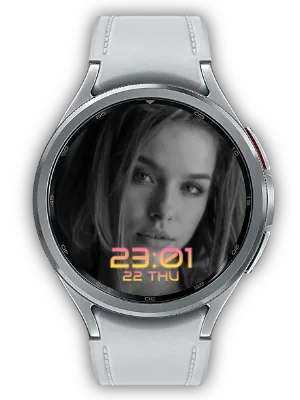
Display photos or images in complication slots. Show your precious photos as the entire watch face background or in smaller areas.

Set your own photo as the background with a clean, simple design. Offers Clean, Thin, and Cute styles.
Family photos, Pets
Display photos beautifully in a circular frame. Smart layout never obstructs your photos.
Profile photos, Couple photos
Display photos and quotes together for inspiration and memories in one place.
Travel photos + Quotes
Provides photo complications that work with various watch faces.
Photos on any watch faceHow To: Easy Setup Guide
Setting up complications is much easier than you think. Follow these steps.
Step 1: Enter Watch Face Edit Mode
- Long press on the watch face (about 2 seconds)
- Tap the edit button or "Customize" option
Step 2: Select a Complication Slot
- Swipe left or right to navigate to the complication settings screen
- Tap the slot (small circular/rectangular area) you want to change
Step 3: Choose a Watch-Go App
- Find the Watch-Go app you want in the complication list
- For example: "My Photo Watch Frame", "Quote Moment", "Crypto Watch", etc.
- Select it and it's applied instantly
Tip: Some apps require pairing with a mobile app. For example, Quote Moment syncs automatically when you enter quotes in the smartphone app.
Conclusion
A smartwatch isn't just a device for receiving notifications. Depending on how you customize it, it becomes a powerful productivity tool.
Using complications offers these benefits:
- Save Time - Access features with one tap instead of digging through the app drawer
- Information at a Glance - Check important info like crypto prices, weather, and schedules directly on your watch face
- Personalization - Create your own unique watch face with family photos and favorite quotes
- Motivation - Start each day with inspiring words
All Watch-Go apps are designed to fully support complications. Whether displaying photos, showing quotes, or checking real-time information - your watch face becomes smarter.
Long press your watch face now and add a Watch-Go complication. Every second will be different.
For more technical information, visit the Android Developer documentation