

Keep the cryptocurrency markets you follow within easy reach on Android and Wear OS. Crypto Watch brings selected prices to your home screen, watch face, and Tiles, with charts available when you want a closer look.
Build your watchlist on your phone, then browse up to 30 configured coins from your wrist. The app displays public market information; it does not place orders or require your exchange login or API keys.
What you can do
- Organize up to 30 exchange-and-symbol pairs in 10 lists of three coins.
- Browse non-empty lists as Wear OS Tile pages and move between coins in watch charts.
- Use Binance, Upbit, Bybit, OKX, or Bitget with each exchange’s own symbol format.
- Add phone price and chart widgets or compatible watch face complications.
- Choose chart intervals, view moving averages, and show or hide the Fear & Greed index.
- Preview settings on your phone and send your configuration to the paired watch.
A watchlist with room to grow
Create from one to ten lists, each holding three exchange-and-symbol pairs. Add or remove lists from the mobile app to keep your main coins together and give other markets their own page, for a total of up to 30 configured entries.
The Wear OS Tile turns non-empty lists into pages, while the watch chart view lets you cycle through the saved coins. Keep the first list for the prices you check most often: that is the list shown by the phone price widget.
Choose the exchange and trading pair
Configure Binance, Upbit, Bybit, OKX, or Bitget for each slot. The exchange matters because the app fetches that market’s public price rather than a single combined price for a coin. You can place pairs from different exchanges in the same list.
Enter symbols in the exchange’s format: BTCUSDT for Binance, Bybit, and Bitget; KRW-BTC for Upbit; BTC-USDT for OKX. The 24-hour change is available for Binance, Upbit, and Bybit; OKX and Bitget can leave that field empty.
Price lists one swipe from your watch face
Add the Crypto Watch Tile to the Wear OS Tile carousel to see your configured prices without starting a trading app. Each list holds up to three coins, and you can browse the configured pages when your watchlist spans several lists.
Empty lists are left out of the Tile pages so they do not interrupt browsing. Tap through to a chart when you want more context, or return to the watch face after a quick price check.

Browse individual coins on your wrist
Open the watch app and swipe upward to move through saved coins one at a time. The coin screen shows the exchange, symbol, price, and update time, so you can identify exactly which pair you are looking at.
Use this view when a three-coin Tile is enough for an overview but you want to inspect an individual market. Once your phone configuration has reached the watch, you can browse it from your wrist; current prices still need internet access.

Charts for your configured markets
Open an interactive candlestick or line chart on the watch from the Tile or watch app. The chart view supports moving through up to 30 configured coins, bringing the watchlist and its price history together on a small screen.
Choose the chart interval on your phone to change the period represented by each candle. Check the exchange, symbol, interval, and displayed update time when comparing views so you know which market and time scale you are seeing.

Prices and charts on a compatible watch face
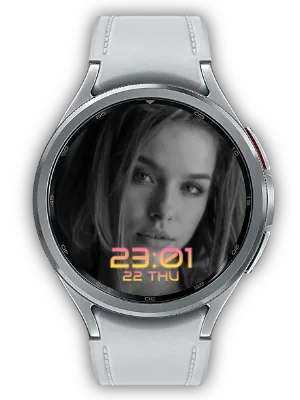
Select Crypto Watch in a compatible watch face’s complication settings to keep a selected price alongside the time. A Photo complication can display the market price and a price chart when the face supports that complication type.
Complications refresh after configuration changes or opening the app, as well as through periodic updates. The layout and available slots depend on your watch face, so choose a supported slot when adding a price or chart.

Your main prices on the phone home screen
Place the price widget on your Android home screen to see up to three coins from the first list. It combines prices with 24-hour movement where the selected exchange provides it, making your primary markets visible between other phone tasks.
The widget updates periodically in the background. Tap the displayed update time to request a refresh, or open the app from the widget to edit your choices. Adding more lists expands watch browsing, rather than changing the widget to show all 30 coins.
Phone charts and market sentiment
The chart widget adds price history and MA5, MA10, and MA20 moving averages to your home screen. These lines use the preceding 5, 10, and 20 candles; their time span changes with the interval selected in the mobile app.
Optional Fear & Greed information adds a colored ring for the market-wide sentiment index, from 0 to 100. Turn it on or off in settings according to the context you want to see alongside prices.
Configure once and check update times
Use the mobile preview to check your exchange, symbol, chart interval, and display choices before viewing them on the watch. Changes are sent to the paired Wear OS app; the mobile watch guide also explains installation, Tiles, and complications.
Prices refresh periodically and can lag behind the exchange. Internet access, the exchange API, and device background restrictions affect updates. If data stops arriving, check connectivity and battery settings; for missing entries, also confirm the exchange-specific symbol format.

Ways to use Crypto Watch
- Keep three frequently checked pairs on your phone home screen, with additional lists reserved for the watch.
- Group coins by exchange or by your own interests and browse the lists from a Wear OS Tile.
- Check a price from your watch face during a short break, then open its chart for more context.
- Compare selected KRW and USDT markets by assigning the appropriate exchange and symbol to each slot.
- Use a chart widget and optional sentiment ring for a broader overview alongside individual prices.
Set up your first watchlist
- Install the Android app and install the Wear OS app separately on your paired watch if you want wrist access.
- Choose an exchange and enter its symbol format for each of the three slots in your first list.
- Add more lists as needed, then choose a chart interval and whether to show Fear & Greed information.
- Check the mobile preview and connect the watch so the configuration can reach it.
- Add a phone widget, Wear OS Tile, or compatible complication and check its displayed update time.
Updates
- Release highlights: Add or remove up to 10 price lists with three coins each and browse them in pages on the watch Tile. Cycle through up to 30 saved coins in watch charts.
- Release highlights: The final onboarding screen links to the Crypto Watch website. A gold primary theme makes main actions easier to identify.
- Swipe Through Coins: On the Wear OS app, swipe up to flip through your saved coins one at a time.
- Localized Watch Guide: The mobile app's watch feature guide is now available in 12 languages (previously English only).
- Refined Mobile Widget: The mobile home widget now uses a square design and lets you tap the update time to refresh immediately.
- Wear OS Guide Screen: Added a mobile screen that explains Wear OS app, tile, and watch face features with a shortcut to install on your watch.
- Watch Face Price Chart: Added a Photo complication for the Wear OS watch face that shows market price and a price chart.
- Faster Complication Updates: Wear OS watch face complications refresh more quickly after settings changes or app launch.
- Design Refresh: A darker tone improves readability and usability.
- Settings Preview: Preview the result instantly as you change settings in the mobile app.
- Mobile Widget: Check prices quickly right from a home-screen widget.
- Extended List: Significantly expanded the supported cryptocurrency list.
- Wear Complication: Supports displaying cryptocurrency info as complications on other watch faces.
- Symbol Search Keywords: Added search keywords for major cryptocurrency symbols for easier searching.
- API Error Fix: Fixed price information API-related errors.
- Usability Improvement: Improved overall app usability.
- Video Guide: Added a video guide for app usage instructions.
- Price Change Display: Added cryptocurrency price change percentage display.
- Multi-currency Onboarding & Premium: Added onboarding guide and premium option for multi-currency feature.
- Multi-currency Stabilization: Improved stability of multi-currency feature.
- Multi-currency Support: Added the ability to monitor multiple cryptocurrencies simultaneously.
- Moving Average Display: Added moving average line display on charts for market analysis.
- Tile Number Display Improvement: Improved price number display on watch tiles for better readability.
- Stability Improvement: Improved overall app stability.
- Settings Display: Added display of current settings for easy confirmation.
- Watch App Install Button: Added watch app install button for better accessibility.
- Currency Search & Select: Added the ability to search and select desired cryptocurrencies.
- Icon Background Fix: Fixed cryptocurrency icon backgrounds for better readability.
- Watch App Install Button: Added a button to install the watch app directly from the mobile app.
- Multi-language Support: Added multi-language support for global users.
- Symbol Sorting: Sorted cryptocurrency symbol list for easier browsing.
- Homepage Info: Added homepage information within the app.
We welcome any comments or suggestions for improvement.


