

Crypto Watch helps you check cryptocurrency prices from your phone and Wear OS watch without opening a trading app. Use home-screen widgets, watch face complications, and Wear OS Tiles to keep selected coins visible throughout the day.
The app is designed for price monitoring only. It does not place trades or provide financial advice.
Key Benefits
- Glanceable prices: track selected coins from widgets, complications, and Wear OS Tiles.
- Multiple exchanges: configure Binance, Upbit, Bybit, OKX, or Bitget symbols.
- Charts on wrist: open simple charts from the Tile or watch app.
- Swipe through coins: swipe up on the watch app to flip through your saved coins one by one.
- Prices on your watch face: show market price and a price chart as a watch face complication.
- Phone-to-watch sync: pick exchanges, symbols, intervals, and display options on your phone.
- Market context: view price movement and optional Fear & Greed information where supported.
Real-Time Prices on Wear OS
Add Crypto Watch as a Wear OS Tile or complication and check selected coins with a quick glance. The Tile supports multiple configured slots.

Swipe Through Your Coins
On the Wear OS app, swipe up to move through your saved coins one at a time. Each screen shows the exchange, symbol, price, and update time, so you can flip through your whole watchlist right from your wrist — no phone needed.

Charts and Market Context
Tap from the Tile to open a chart view on the watch. Crypto Watch keeps the chart readable on a small screen and can show simple trend context.

Prices on Your Watch Face
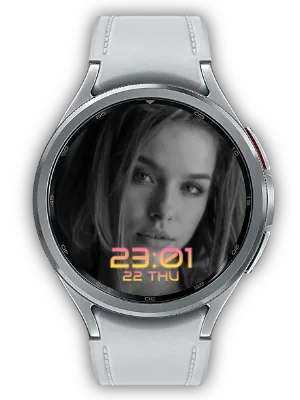
Add a Photo complication to a compatible Wear OS watch face and see the market price with a price chart right on your main screen. Complications refresh quickly after you change settings or open the app, so the price you see stays current at a glance.

Configure from Your Phone
Use the mobile app to choose your exchange, coin symbols, chart interval, and display options. Settings sync to the watch so every surface stays aligned.
- Binance
- Upbit
- Bybit
- OKX
- Bitget

Best For
- Quick checks: see price and movement without unlocking your phone.
- Multi-exchange users: track symbols from the exchange you actually use.
- Wear OS dashboards: add prices to your watch face or Tile carousel.
- Phone widgets: keep key prices visible on your home screen.
How to Get Started
- Open the mobile app and choose an exchange.
- Select the coin symbols you want to track.
- Choose chart and display settings.
- Sync to your Wear OS watch and add the Tile or complication.
Crypto Watch keeps the focus on monitoring: select the markets you care about, then check them from your phone home screen or directly from your wrist.
Updates
- Swipe Through Coins: On the Wear OS app, swipe up to flip through your saved coins one at a time.
- Localized Watch Guide: The mobile app's watch feature guide is now available in 12 languages (previously English only).
- Refined Mobile Widget: The mobile home widget now uses a square design and lets you tap the update time to refresh immediately.
- Wear OS Guide Screen: Added a mobile screen that explains Wear OS app, tile, and watch face features with a shortcut to install on your watch.
- Watch Face Price Chart: Added a Photo complication for the Wear OS watch face that shows market price and a price chart.
- Faster Complication Updates: Wear OS watch face complications refresh more quickly after settings changes or app launch.
- Design Refresh: A darker tone improves readability and usability.
- Settings Preview: Preview the result instantly as you change settings in the mobile app.
- Mobile Widget: Check prices quickly right from a home-screen widget.
- Extended List: Significantly expanded the supported cryptocurrency list.
- Wear Complication: Supports displaying cryptocurrency info as complications on other watch faces.
- Symbol Search Keywords: Added search keywords for major cryptocurrency symbols for easier searching.
- API Error Fix: Fixed price information API-related errors.
- Usability Improvement: Improved overall app usability.
- Video Guide: Added a video guide for app usage instructions.
- Price Change Display: Added cryptocurrency price change percentage display.
- Multi-currency Onboarding & Premium: Added onboarding guide and premium option for multi-currency feature.
- Multi-currency Stabilization: Improved stability of multi-currency feature.
- Multi-currency Support: Added the ability to monitor multiple cryptocurrencies simultaneously.
- Moving Average Display: Added moving average line display on charts for market analysis.
- Tile Number Display Improvement: Improved price number display on watch tiles for better readability.
- Stability Improvement: Improved overall app stability.
- Settings Display: Added display of current settings for easy confirmation.
- Watch App Install Button: Added watch app install button for better accessibility.
- Currency Search & Select: Added the ability to search and select desired cryptocurrencies.
- Icon Background Fix: Fixed cryptocurrency icon backgrounds for better readability.
- Watch App Install Button: Added a button to install the watch app directly from the mobile app.
- Multi-language Support: Added multi-language support for global users.
- Symbol Sorting: Sorted cryptocurrency symbol list for easier browsing.
- Homepage Info: Added homepage information within the app.
We welcome any comments or suggestions for improvement.


