
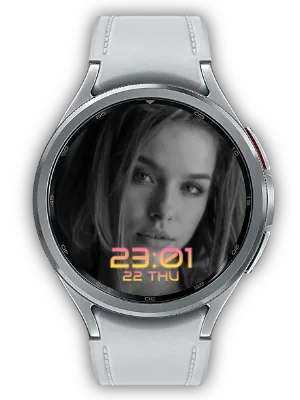

What It Does
Display a favorite quote or short reminder beside the time with a central Long Text complication.
This Watch Face Format (WFF) watch face supports Always-on Display (AOD).
Customize Your View
Choose clock size, position and color presets in the watch face customization screen. Select contrasting colors so the time and text are easy to read. Clock position: Top or Bottom.

A Style for Your Everyday Glances
Keep a favorite quote or a short reminder beside the time. The central Long Text slot makes the sentence part of each glance at your wrist. Short text leaves more room for the clock and is easier to read on the small display.
Connect Your Own Quote Collection
Choose a compatible Long Text provider in the quote slot. With Quote Moment installed on the phone and watch, select or create a collection on your phone and set its replacement interval and shuffle options.
The provider supplies the text and controls when it changes; this face displays it beside the clock. Other compatible Long Text providers can supply a short note or calendar title. If the text is empty, check the selected slot and provider first.
Always-on Display and Setup Tips
The face uses Watch Face Format and supports Always-on Display (AOD). With AOD enabled on the watch, the system switches to the ambient presentation; its appearance can be simpler or dimmer than the active screen.
If the face is missing from the selection list, confirm that it is installed on the watch and that the watch supports WFF. If photos or text are missing, reopen Customize and select the correct compatible provider. Companion settings supply content; this face’s settings determine its presentation.
How to Get Started
- Install the watch face on a compatible Wear OS watch and select it in the watch face list.
- Long-press the watch face and open Customize.
- Select the relevant complication slot and choose a compatible provider.
- Adjust the clock style and confirm your changes.
Related Apps
Install Quote Moment on your phone and watch to manage quotes. Choose its Long Text provider in the text slot. Quote changes follow the provider’s settings; other compatible Long Text providers can also be used.
Updates
- Compatibility update: Updated to meet Android 15 (API 35) target requirements.
- Initial Release: First version of the app has been released.
We welcome your feedback and suggestions.


