
Watch LED Scroller turns your Wear OS watch into a small LED message board. Type a message on your phone, sync it to your watch, and display it as scrolling text, static text, or a bold visual banner.
It is useful for concerts, events, parties, noisy places, night visibility, or simple silent communication when a quick message on your wrist is easier than speaking or holding up a phone.
Key Benefits
- Wrist-level messages: show text directly on your Wear OS screen.
- Flexible motion: scroll left, right, up, or down with adjustable speed.
- Rich styling: choose fonts, text colors, gradients, background colors, size, rotation, and blink effects.
- Phone setup: type and tune your message on your phone, then sync it to the watch.
- Connect with friends: join phones in one room and scroll the same LED together, in sync.
- Shareable settings: create a share link for a configured LED message.
Customize the Message
Set the text, font, size, color, scroll direction, speed, blink effect, dot effect, rotation, and background color from the mobile app.

Fonts and Styles
Use multiple visual styles, including gradient colors and 14 font options, so the same message can feel playful, practical, bold, or clean.

Connect with Friends
Bring several phones into one room and scroll the same LED message together. Line your phones up side by side and the text flows across them like one long billboard (continuous mode), or show the exact same message on every screen at once (mirror mode).
Create a room, share the room key with your friends, and everyone stays in sync automatically — even if each person presses play at a different moment. It works across phones with different screen sizes, matching the scroll flow and the blink timing, so a crowd becomes one connected display.

Scrolling and Static Modes
Use scrolling mode for long messages or motion. Use Static Mode when a short label, name, number, or event phrase should be visible at once.

Watch Face Integration
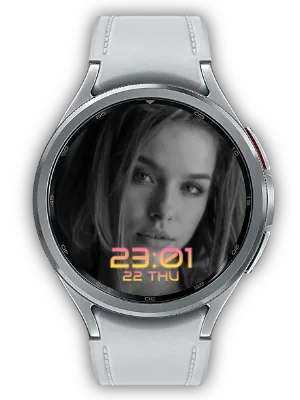
Watch LED Scroller can also provide LED content for compatible watch face complications. If you want your LED board to live on the watch face itself, pair it with LED Board Watch Face.
- Watch LED Scroller: create, style, preview, sync, and share LED messages.
- LED Board Watch Face: show your LED board as part of a dedicated watch face.

Best For
- Events: display a cheer, team name, booth label, or short announcement.
- Noisy places: show a message when speaking is hard.
- Night visibility: make short text more noticeable on your wrist.
- Personal expression: use names, short phrases, jokes, or reminders.
How to Get Started
- Open the mobile app and enter your message.
- Choose the font, colors, speed, direction, rotation, and background.
- Sync the setting to your Wear OS watch.
- Use scrolling mode, Static Mode, or a compatible watch face complication.
From a simple name tag to a bright event banner, Watch LED Scroller gives your smartwatch a clear, visual way to speak.
Updates
- Localized Connected Billboard: The friend-connection screen now shows its guidance text, buttons, and room info in each supported language.
- Faster Static Text: When scrolling is off, static text now appears on the watch much faster than before.
- 10-Level Scroll Speed: Text scroll speed now has a wider 10-level range, so you can choose levels 1 through 10 directly with the slider.
- Custom Text Color: Pick any solid text color with the color picker while keeping the existing preset colors available.
- Connect with Friends: Join several phones in one room and scroll the same LED together. Line phones up for one long continuous billboard, or use mirror mode to show the same message on every screen. Create a room, share the room key, and everyone stays in sync automatically — even across different screen sizes.
- Feature Discovery Card: Added a "You can also do this" card to the main screen so you can see the LED Board watch face, mobile LED scroller, and mobile widgets at a glance and jump straight to installing the watch face.
- Mobile Widgets: Add LED Scroller to your home screen. A 2x2 quick-launch widget previews presets 1-5 and opens full screen with one tap, and a resizable LED display widget pins your current setup to the home screen and updates instantly when you change settings.
- Share Settings Dialog: Tapping share now shows the share URL and key in a dialog where you can copy, share, or close directly. Re-sharing the same setup reopens the dialog without issuing a new key.
- Design Refresh: Refined color scheme for a cleaner, more usable look.
- Smoother Mode Transitions: Improved transitions so switching modes feels smoother.
- Mobile LED Scroller: You can now run the LED scroller on mobile at the same time.
- Photo Complication: Static-mode text can be shown as an image complication, so you can decorate your watch face with your own message.
- Share Link: Added share links for LED settings.
- Background Color: Added a background color setting.
- Settings Preview: Added a live preview of your settings.
- Link Sharing: Added link sharing for LED messages.
- Video Guide: Added a video guide.
- Link Sharing: Added the ability to share LED messages via link.
- Video Guide: Added a video guide for app usage instructions.
- Preset Settings: Added the ability to save and quickly load frequently used settings as presets.
- Full Screen Mode: Added full screen mode for the LED scroller.
- Default Message Multi-language Support: Extended default messages to support multiple languages.
- Settings Restoration Fix: Fixed issues with previous settings not being properly restored.
- Font Addition & Preview: Added new fonts and preview feature.
- Watch App Install Button: Added watch app install button for better accessibility.
- App Stability Improvement: Improved overall app stability.
- Blink Speed Settings: Added settings to adjust LED text blink speed.
- Ad Position Adjustment: Adjusted ad display position for better usability.
- Watch App Install Button: Added a button to install the watch app directly from the mobile app.
- Auto-save Watch Settings: Improved watch settings to save automatically.
- Text Share Receiving: Added the ability to receive shared text from other apps and display on LED scroller.
- Banner Image Update: Updated the app's banner image.
- Save Settings to Watch: Improved settings to be saved directly on the watch.
- watch-go.com Info Update: Updated watch-go.com related information.
- Korean Font Addition: Added Korean font by user request.
- Comma Display Fix: Fixed comma display error in LED text.
- Typo Fix: Fixed typos in app text.
- Dot Background Setting: Added Dot Background setting option for LED background.
- In-App Review: Added in-app review feature.
- Feedback Channel: Added a channel for user feedback.
- App Usability Improvement: Improved overall app usability.
We welcome any comments or suggestions for improvement.


